
TopTeam Requirements for Azure DevOps
Powerful Requirements Engineering Meets Agile Execution Without Compromise
What Problems Does It Solve?
Why teams love TopTeam + Azure DevOps integration:
No more unstructured, vague user stories in ADO.
No support for reuse, baselines, compliance tracking, or rich modeling in ADO alone.

Manual traceability? Gone.

Reviews and approvals with digital signatures? Now possible.

You stop duplicating work between tools and chasing updates across systems.
Everyone gets visibility and no one is forced to change tools.
Why Use TopTeam Requirements with Azure DevOps?
Go Beyond What Azure DevOps Can Do for Requirements Engineering.
Azure DevOps is great for managing development tasks but it wasn’t designed for rich, structured requirements.
TopTeam Requirements fills that gap with advanced modeling, traceability, simulation, and validation capabilities.

Your team keeps using Azure DevOps for sprint execution and issue tracking while TopTeam brings order, rigor, and reuse to your requirements.

You get full traceability, variant control, reusable libraries, UML/SysML diagrams, mockups, and compliance-ready reviews things ADO simply can’t do.
Seamless Synchronization Keeps Everyone on the Same Page
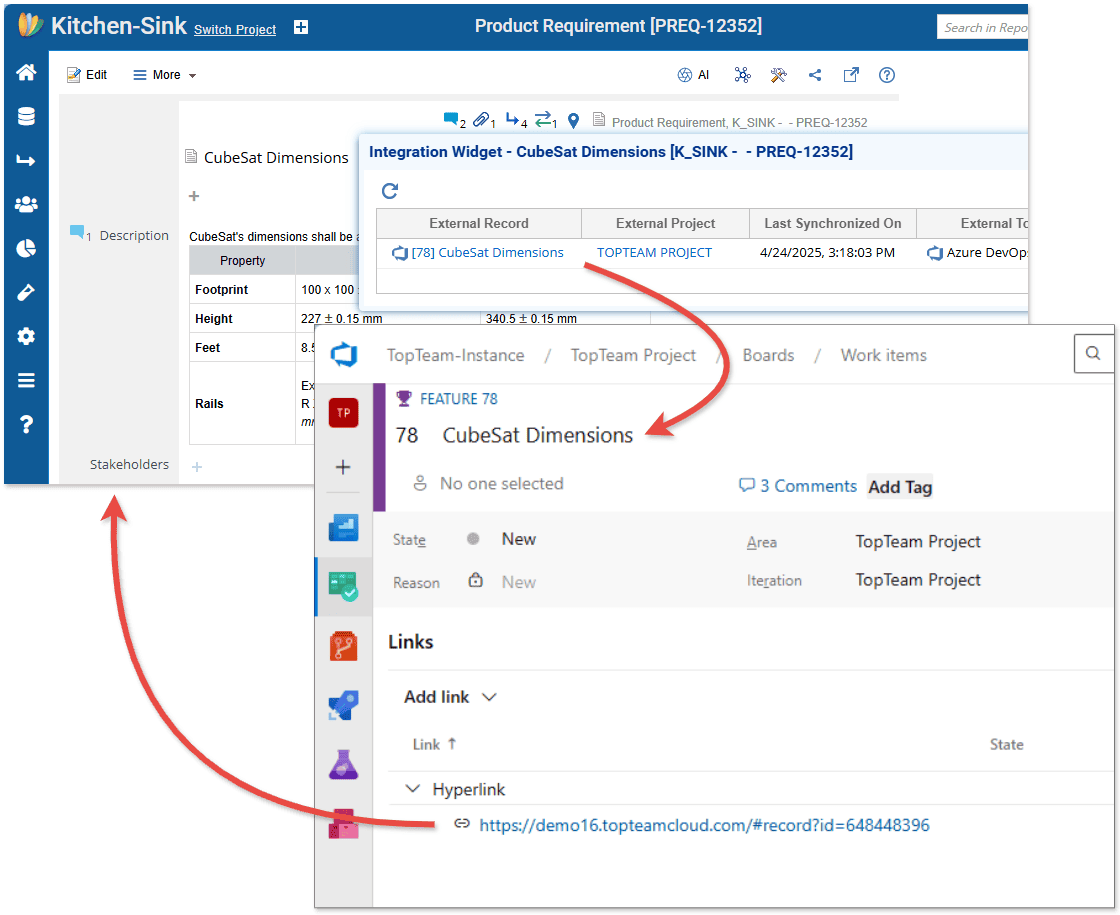
Bi-directional sync between TopTeam
and Azure DevOps means no more silos.
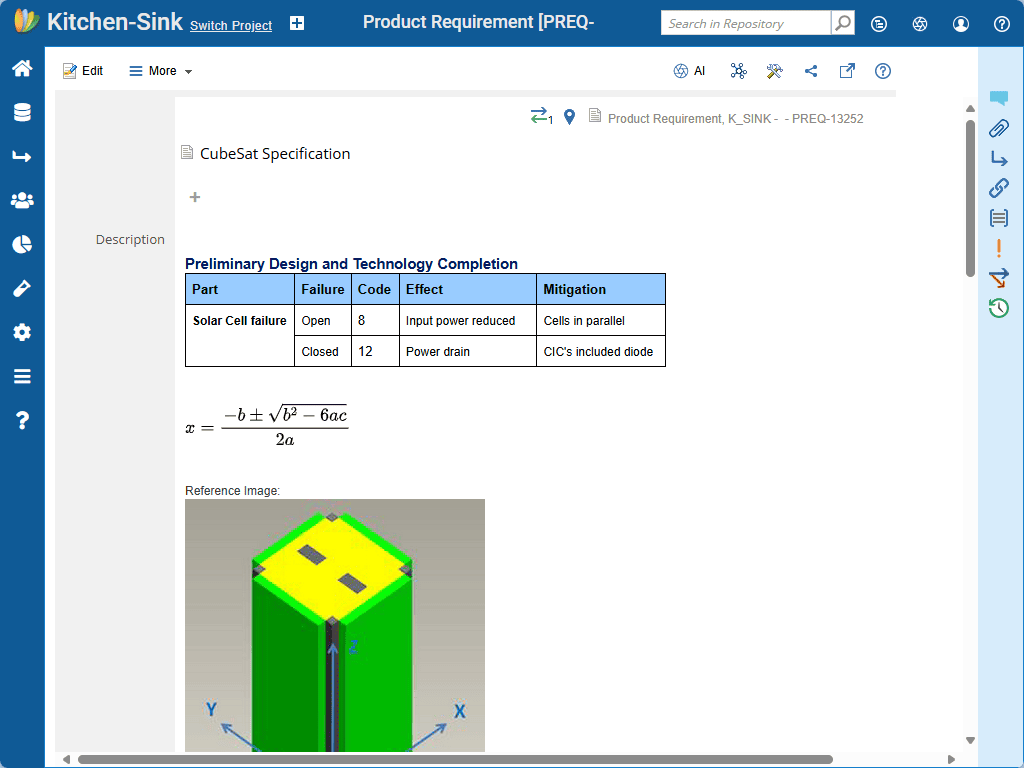
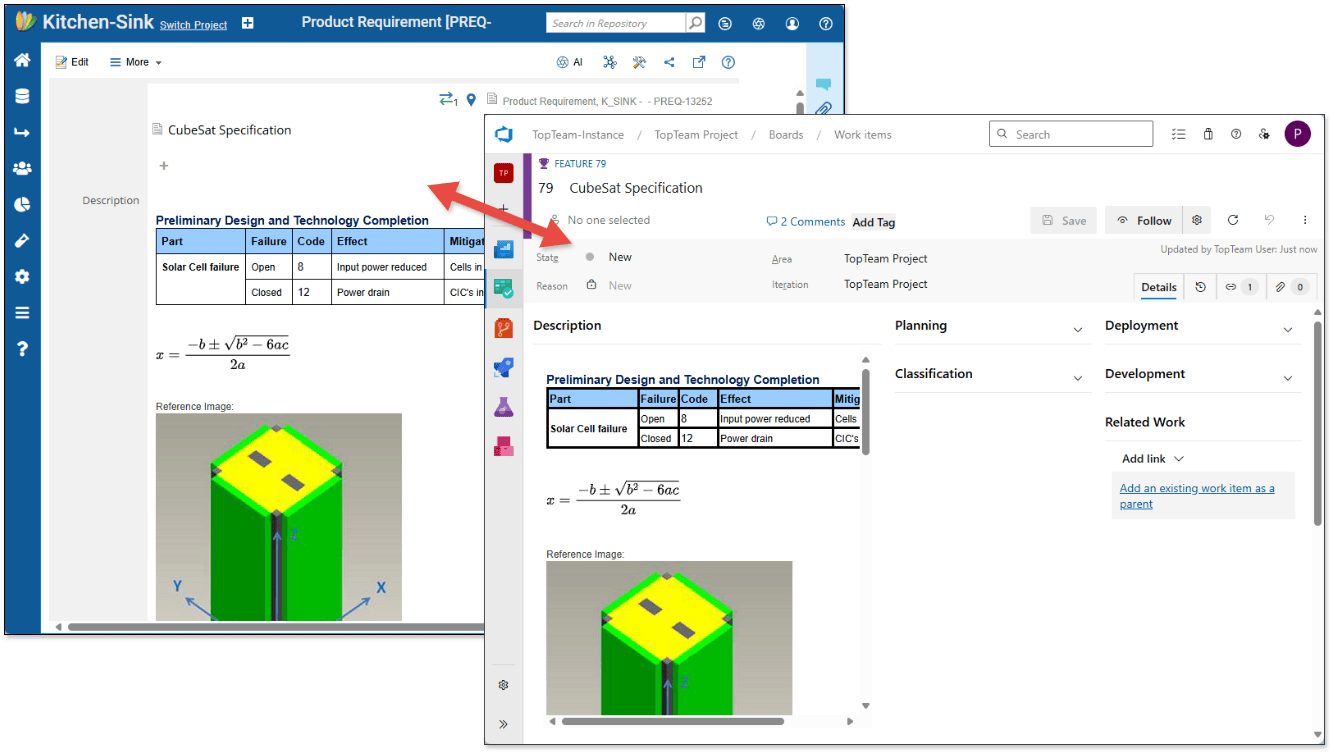
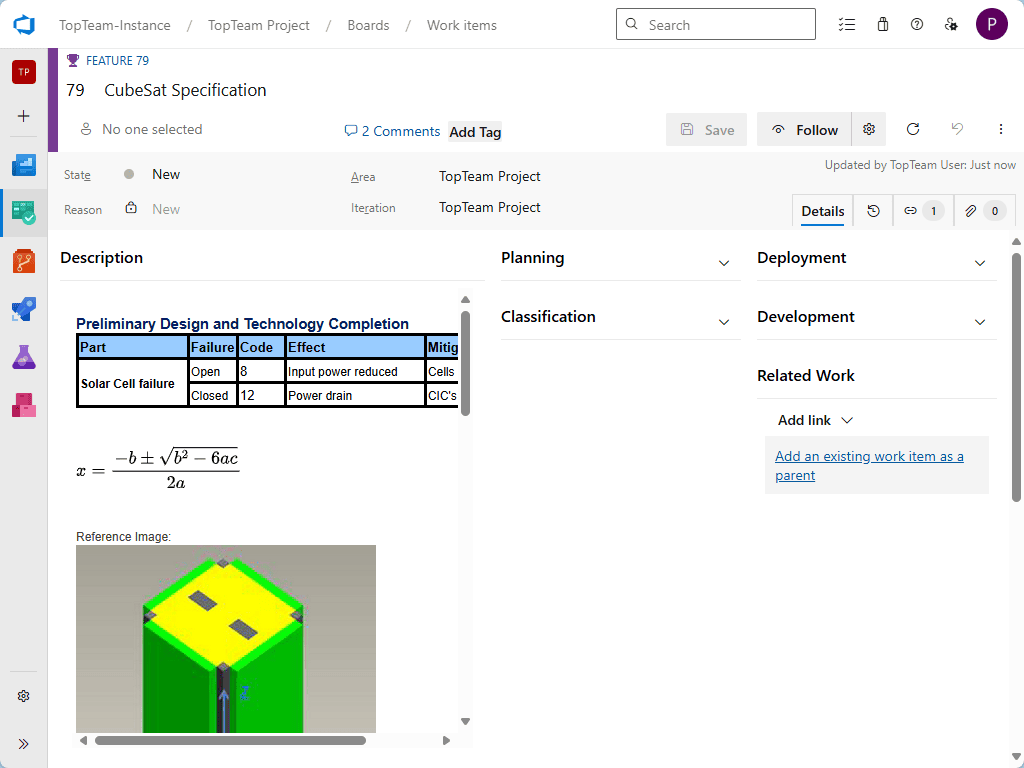
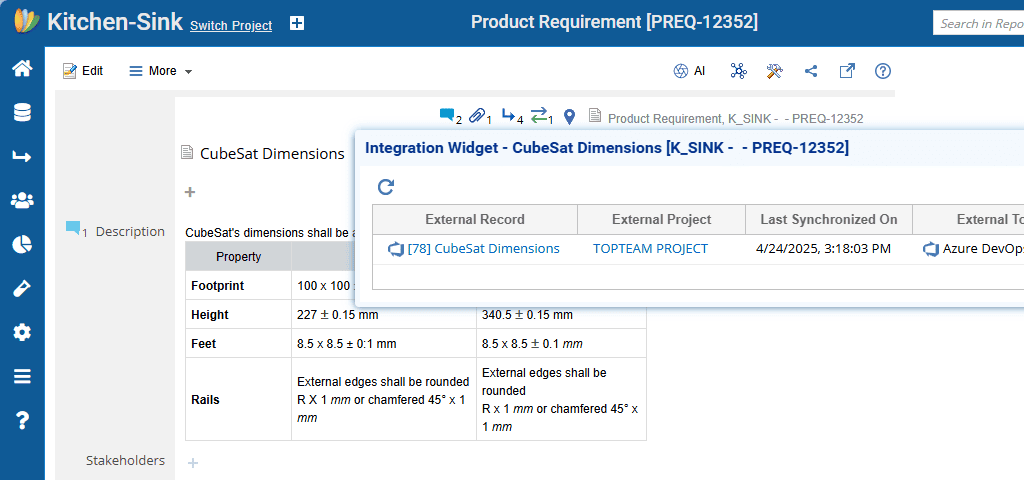
Automatically synchronize user stories, requirements, use cases, wireframes, diagrams, and more with full rich-text descriptions.

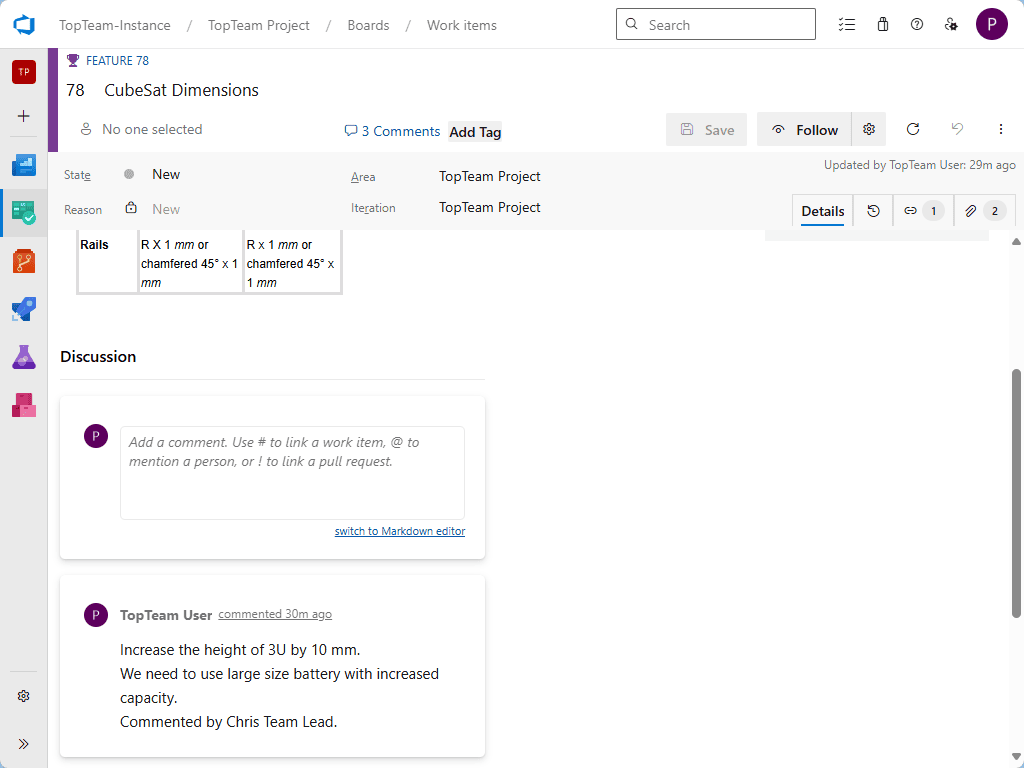
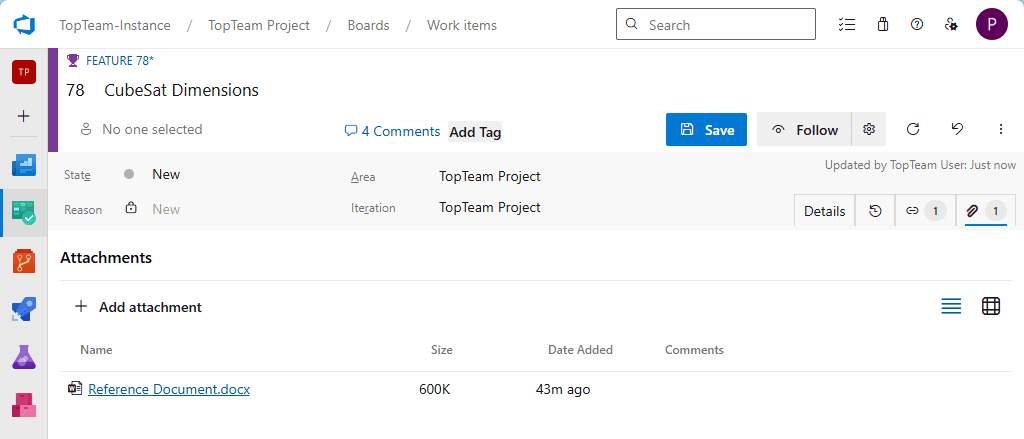
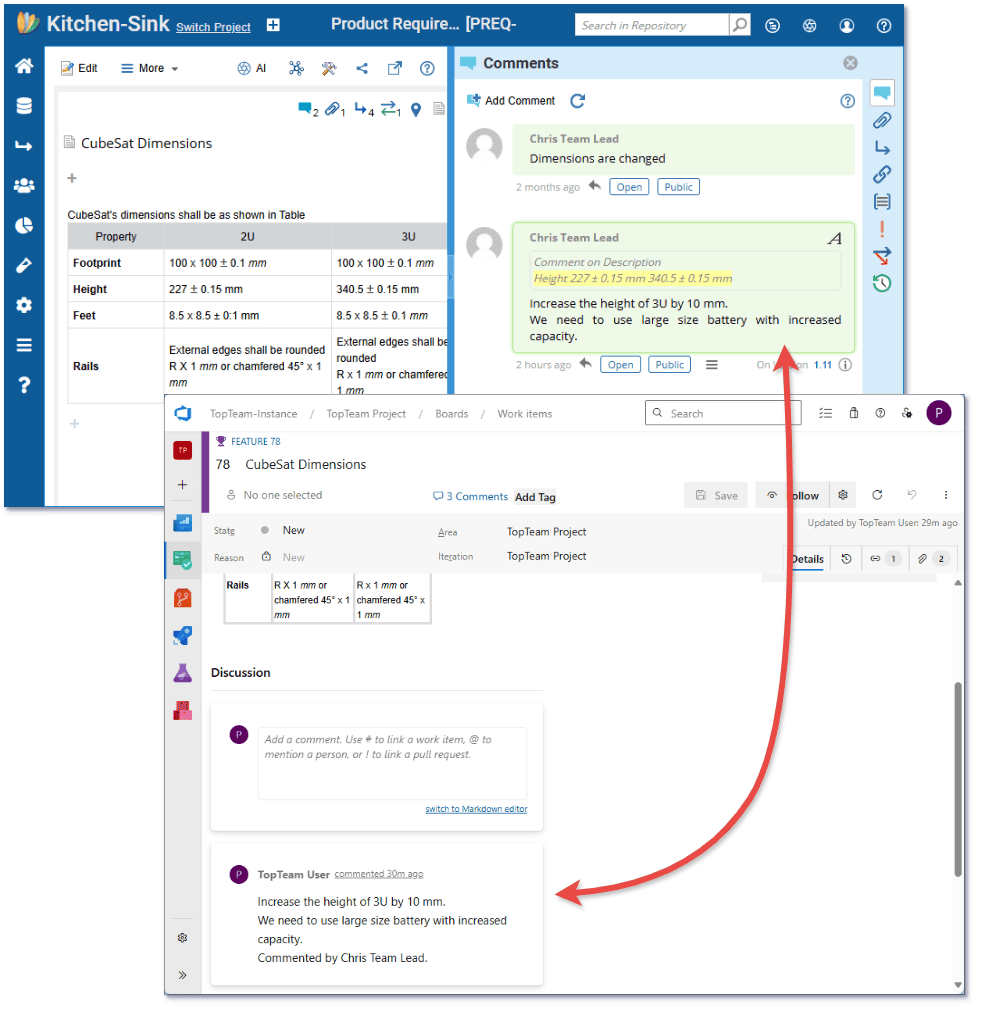
Comments, attachments, and traceability links? Synced.
Define mappings between TopTeam artifact types and Azure DevOps work item types.

Filter which records get synchronized using configurable subsetting.

Schedule automatic sync jobs or trigger them manually.

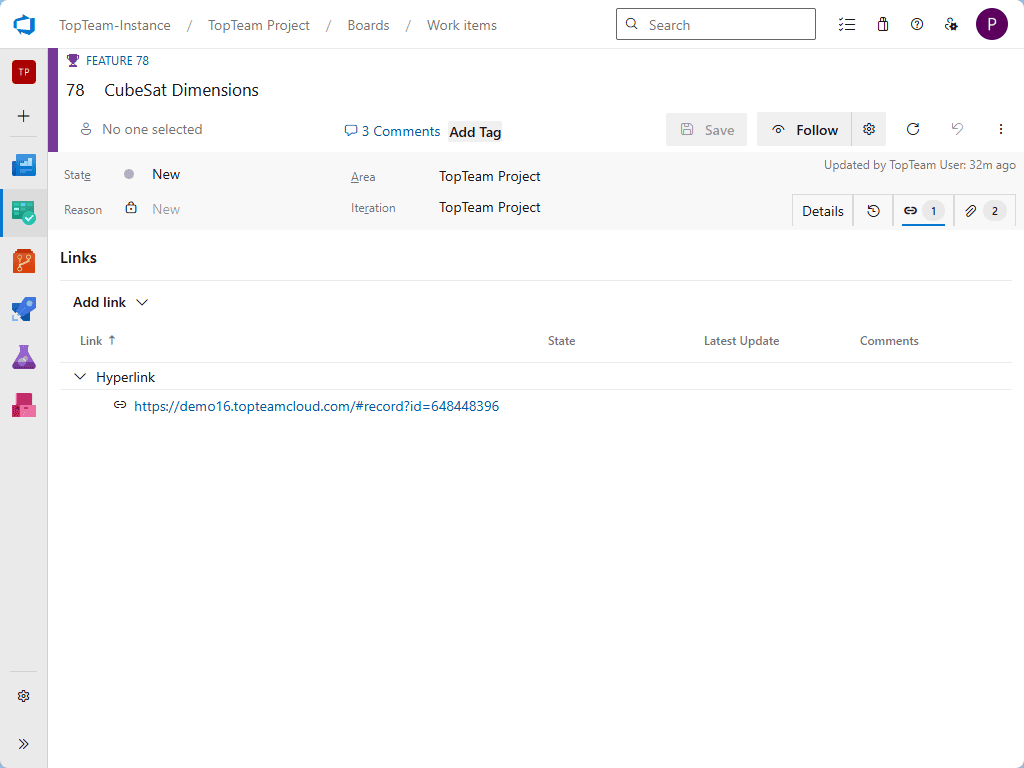
Each item includes cross-platform links for seamless navigation.
The Best of Both Worlds
Develop in Azure DevOps. Engineer and Validate in TopTeam.
In Azure DevOps: Track sprints, assign tasks, monitor bugs, ship features.
In TopTeam: Author rich user stories and requirements. Add wireframes, mockups, and diagrams. Link compliance requirements. Create test cases.
Support for SysML, UML, use case modeling, business process modeling complete with simulation annd walkthroughs.

Maintain the source of truth in TopTeam with full versioning, traceability, baselines, and reviews.
Collaborate confidently across business, systems, and technical teams.
Preserve Organizational Knowledge
Don’t let your critical IP live only in user stories.
- TopTeam’s modular, package-based repository becomes your permanent knowledge base.
- Create and maintain reusable libraries of business rules, compliance standards, glossary terms, and more.
- Take baselines, manage variants, and track system evolution with branching and merging.
- Ensure traceable decisions and historical visibility across requirements and design changes.
Configurable, Automatic, Bi-Directional Sync
Powerful control without the complexity.

Map Record Type
Map TopTeam record types to Azure DevOps work item types.

Customize Field Mappings
Customize field mappings and sync behaviors.
Filter Artifacts
Filter artifacts for sync by project, package, or attribute.
Synchronize
Sync traceability, comments, attachments, and artifact links.

Smart Change Detection
Get smart change detection only modified artiifacts are synced.
Cross Tool Links
Cross-tool links ensure seamless navigation for every stakeholder.
Example: Build It Right. Build It Together.
A real-world workflow using the integration:
- Start in TopTeam Create user stories with rich accceptance criteria.
- Enrich Link compliance needs, business rules, and standards from the library.
- Validate – Automatically generate test cases using AI or from scenarios.
- Sync Push to Azuree DevOps so developers work in their native environment.
- Execute& Track Devs run spprints, QA logs defects in ADO, synced back to TopTeam.
- Review Finalize requirements andd test results in TopTeam with full traceability and approvals.
Result: Full requirements rigor + Agile delivery. No duplication. No missed links. Just clarity.
Real-World Flow: Best of Both Worlds
A user story from idea to test case in harmony with Jira.
- Bi-directional, field-level sync between custom record types and issue types.
- Fine-grained filtering and subsetting—sync only what matters.
- Comments and attachments flow both ways.
- Traceability links maintained during synchronization.
- Smart sync detects and propagates only changes efficient and reliable.
Example: Build Product Lines with Components and Variants
TopTeam Handles the Engineering Complexity. Azure DevOps Drives the Execution.
Engineering product lines with multiple configurations? Here’s how teams get it right with TopTeam + Azure DevOps:
Design Modular Components in TopTeam
Break down your product into reusable components and subcomponents.
Use system structure diagrams to define hierarchical assemblies.
Organize requirements, risks, and designs within each component package.
Create Variants for Each Product Line
Branch components to create new versions or feature variants.
Use advanced merge tools to manage differences and evolve variants in parallel.
Baseline each configuration to freeze specs for manufacturing, certification, or audit.
Link Component Requirements to Test Plans and Compliance
Automatically generate test cases for each component version.
Link compliance requirements and business rules from shared libraries.
Track traceability from high-level system features down to implementation.
Synchronize with Azure DevOps for Build and Test Execution
Push requirements and test cases to Azure DevOps work items.
Run builds, track bugs, and monitor tasks in ADO.
Sync defects, execution results, and feedback back into TopTeam.
Collaborate Across Teams with Confidence
Stakeholders, testers, developers, and systems engineers all stay aligned.
ADO drives development speed; TopTeam anchors design integrity and traceability.
You Don’t Have to Choose
TopTeam + Azure DevOps = Smarter Together
Keep your dev teams happy in Azure DevOps.
Give your analysts, architects, QA, and systems engineers the power they need in TopTeam.
Eliminate gaps, manual rework, and compliance risks.
Deliver faster with higher confidence and fewer surprises.